



Key Takeaways
Instant Data Security: Micro-louver technology blocks side-angle viewing beyond 30 degrees, rendering your screen completely black to onlookers.
Tailored for Mobility: Essential for hybrid office workers and daily commuters handling sensitive emails, payroll, or client data in public spaces.
Dual-Layer Defense: Premium protectors combine visual hacking prevention with physical impact resistance, anti-glare coatings, and blue light reduction.
The Rising Risk of Visual Hacking in Public Spaces
Corporate cybersecurity budgets focus heavily on firewalls, encrypted networks, and multi-factor authentication. However, companies frequently leave the physical layer completely exposed.
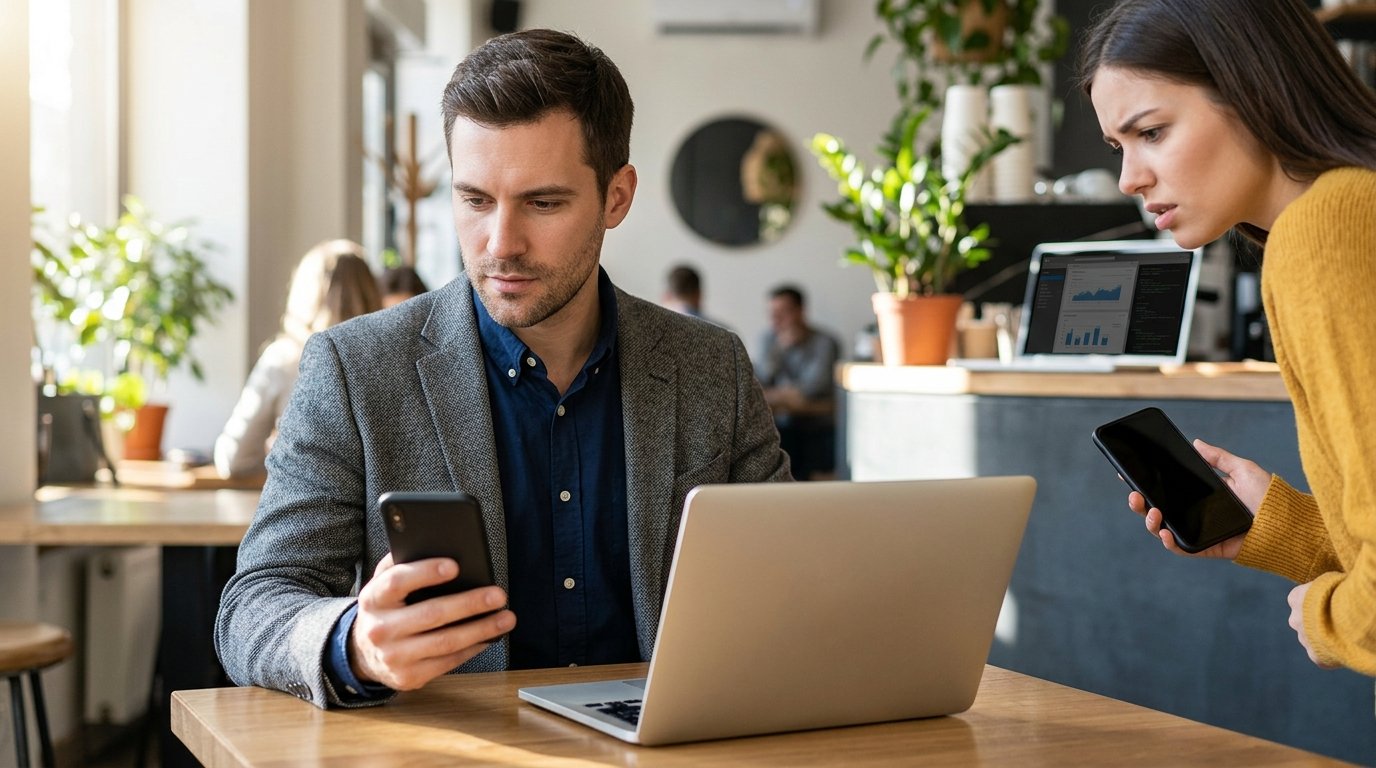
What we’ve observed in the market is a sharp increase in “visual hacking”—the simple act of looking over someone’s shoulder to capture login credentials, corporate data, or personal messages. For the modern commuter or remote professional, this vulnerability peaks during the daily routine.
In my professional experience, standard display panels are engineered for wide viewing angles, often stretching up to 178 degrees. While this is excellent for sharing a presentation in a dedicated conference room, it is a massive liability when you are reviewing an internal Q3 financial spreadsheet on a crowded train or in a busy coffee shop.
Core Operational Mechanics of Modern Privacy Filters
To understand why a privacy screen protector for laptops or smartphones is necessary, you must understand how the technology operates. Premium privacy filters utilize advanced micro-louver technology, which functions similarly to microscopic window blinds.
Light passes cleanly through the filter when you view the device from a direct, zero-degree angle. However, as the viewing angle shifts past 30 degrees to either side, the micro-louvers block the backlight, turning the screen dark for anyone sitting next to you.
[Onlooker 45° Angle]  -->  | Micro-Louvers Block Light |  -->  [Screen Appears Black]
[User: 0° Direct View]  -->  |  Light Passes Straight   |  -->  [Screen Appears Clear]
Comparing Materials and Deployment Types
Choosing the correct material depends entirely on your hardware ecosystem and daily deployment habits. Enterprise users typically deploy a mix of magnetic laptop filters and tempered glass smartphone shields to balance productivity with security.
| Feature / Type | Tempered Glass (Smartphones) | Magnetic Acrylic (Laptops) | PET Film (Laptops/Tablets) |
| Primary Benefit | Impact protection + 2-way privacy | Easy removal for collaboration | Semi-permanent ultra-thin fit |
| Privacy Angle | Narrow (approx. 28°–30°) | Moderate (approx. 30°) | Moderate (approx. 30°–45°) |
| Installation | Adhesive (Permanent) | Magnetic Strips (Removable) | Adhesive strips or slide slots |
| Best Used For | Daily commuters, field sales | Hybrid office workers, executives | Open-plan office workstations |
Strategic Advantages of a Privacy Screen Protector for Laptops and Mobile Hardware
1. Compliance with Strict Data Protection Laws
Operating in modern business requires compliance with frameworks like GDPR, HIPAA, and CCPA. If you handle Protected Health Information (PHI) or Personally Identifiable Information (PII) on a train, displaying that data on an unshielded screen constitutes a compliance breach.
2. Elimination of Low-Tech Corporate Espionage
Competitors do not always need sophisticated malware to compromise your company’s operational roadmap. A casual glance from a passenger in the adjacent seat on a flight is all it takes to leak a sensitive product launch or an unannounced corporate restructuring plan.
Pro-Tip: Secure your digital workspace completely. Equip your corporate hardware fleet with enterprise-grade protection by exploring our comprehensive [Data Shield Corporate Hardware Kits] to prevent visual breaches today.
3. Reduced Eye Strain and Glare Reduction
High-quality modern privacy filters do more than just block lateral views. They integrate advanced anti-reflective properties that mitigate overhead fluorescent lighting glare, alongside blue-light filtration layers that reduce long-term ocular fatigue during extended work sessions.
Preserving Display Fidelity and Touch Sensitivity
A common hesitation among enterprise procurement teams is the fear that a privacy filter will severely degrade screen clarity or break touchscreen functionality. While low-grade, generic plastic films can introduce a grainy texture, premium high-alumina silica glass or precision-engineered acrylic filters preserve native responsiveness perfectly.
In my professional experience testing device deployments, high-tier privacy glass maintains up to 100% touch sensitivity, including compatibility with advanced in-display ultrasonic fingerprint sensors and precision styluses. They do introduce a minor reduction in display brightness (typically around 10–15%), which is easily corrected by adjusting your hardware’s native brightness slider.
Final Verdict: Securing the Human Element
Security is only as strong as its weakest link, which is frequently the physical visibility of your workspace. Deploying a commercial-grade privacy filter ensures that your work remains confidential, no matter how crowded your environment becomes.
Protect your competitive edge and secure your remote workforce. Upgrade your hardware fleet with the ultimate line of physical defense by ordering your custom-fit [Data Shield Premium Privacy Protectors] today.
Frequently Asked Questions
Do privacy screen protectors work in bright sunlight?
Yes, premium privacy protectors work exceptionally well in bright environments because they typically feature an integrated matte anti-glare coating. This coating diffuses direct sunlight reflections, making the screen significantly easier for you to read while still maintaining complete privacy from side angles.
Will a privacy screen protector for laptops reduce my screen’s clarity or sharpness?
High-quality privacy screens engineered with micro-louver technology preserve sharp text and accurate color profiles when viewed directly from the front. You will notice a slight reduction in overall display brightness, but this does not cause text pixelation or visual blurriness.
Can I easily remove a laptop privacy filter when I need to show my screen to a colleague?
If you frequently collaborate with team members, you should choose a magnetic or slide-slot removable privacy filter rather than a permanent adhesive film. Magnetic filters attach instantly to the bezel of your laptop and can be pulled off in seconds when you need to share your display during a meeting.
Do privacy protectors interfere with smartphone fingerprint scanners or touch gestures?
Premium tempered glass and nano-liquid privacy filters are designed to preserve full capacitive touch sensitivity. To ensure flawless operation with in-display ultrasonic fingerprint scanners, always choose a high-precision, model-specific protector and re-register your fingerprints after completing the installation.
