


⚡ Key Takeaways — TL;DR
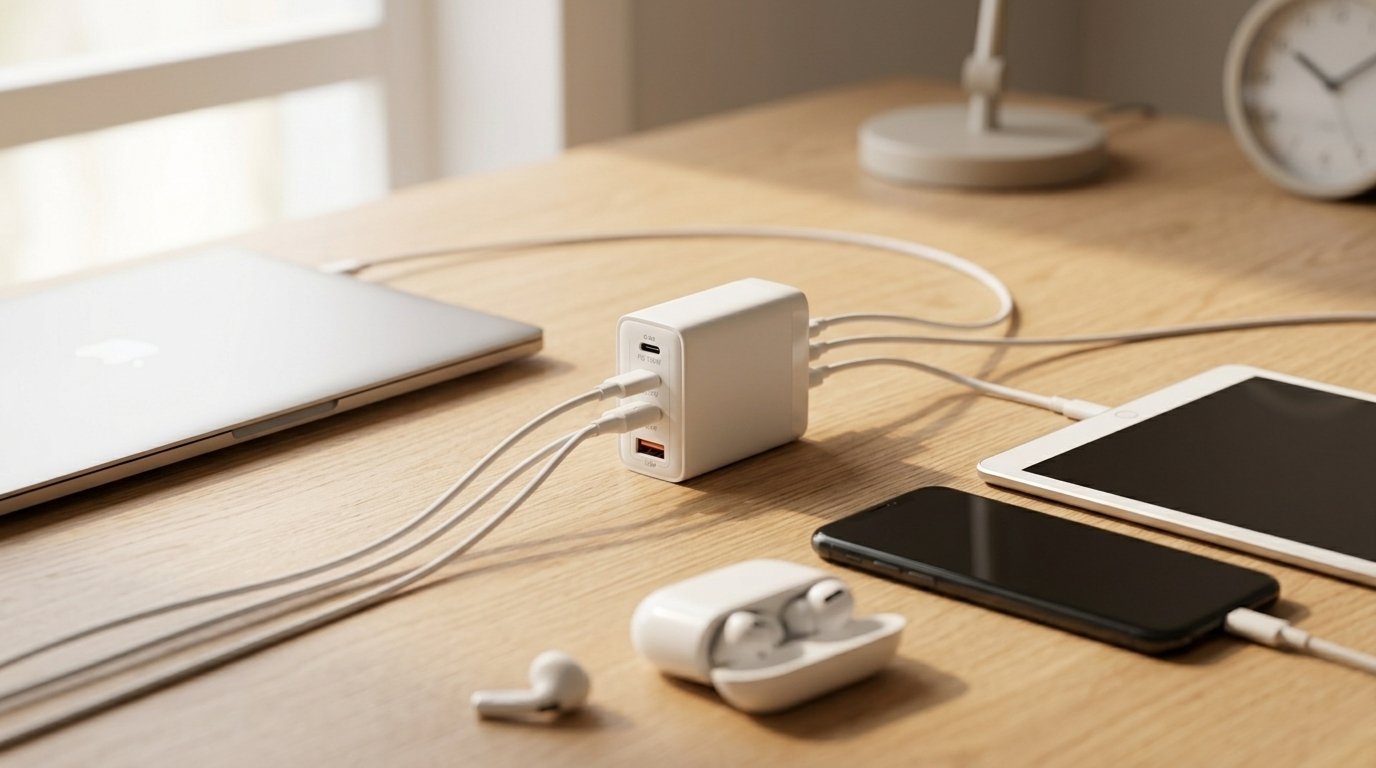
A single multi-port USB charger can power 4–6 devices simultaneously while using one wall outlet, cutting desktop and bedside clutter by up to 80%.
Modern GaN-based multi-port chargers deliver 65W–140W total output — enough for laptops, tablets, phones, and earbuds at the same time without throttling any port.
For families or shared workspaces, the switch pays for itself within months by replacing 3–5 individual chargers at a combined higher cost.
Walk into any household with teenagers or a home office and you’ll find the same scene: a tangle of wall adapters, an overloaded power strip, and someone arguing over the last available outlet. In my professional experience reviewing charging hardware for enterprise and consumer use, this problem is almost always solved by a single decision — switching to a multi-port USB charger.
This post breaks down exactly why multi-port chargers are worth every rupee (or dollar), who benefits most, what specs actually matter, and what to avoid.
What Is a Multi-Port USB Charger (and Why It’s Not Just a Power Strip)
A multi-port USB charger is a single wall adapter or desktop hub that provides multiple independent USB-A and USB-C ports — each delivering regulated, fast-charge power. Unlike a power strip, every port on a quality multi-port charger has its own power management circuit.
That distinction matters. A cheap power strip splits one weak current across everything plugged into it. A proper multi-port charger — especially a GaN (Gallium Nitride) model — allocates power intelligently, detecting what each device needs and delivering it at the right voltage and amperage.
GaN Technology: The Reason Modern Multi-Port Chargers Are So Compact
Traditional silicon-based chargers dissipate a lot of heat, which forces manufacturers to build them larger. GaN chips run significantly cooler and more efficiently, which is why today’s 65W multi-port charger fits in the palm of your hand where a 2019 equivalent would have been the size of a paperback book.
What we’ve observed in the market over the past two years: GaN multi-port chargers have dropped in price by roughly 35–40% while wattage has doubled. That trend makes now the right time to buy.
Why the Best Multi-Port USB Charger Is Worth It for Families and Work Setups
The value of a multi-port charger is not just convenience — it’s measurable in outlets saved, clutter eliminated, and money not spent on multiple standalone chargers. Here’s where the case becomes concrete.
For Families: One Hub, Every Device
- A 6-port charger on a kitchen counter can power two smartphones, a tablet, a Nintendo Switch, wireless earbuds, and a smartwatch simultaneously — no arguments, no waiting turns.
- Bedside charging becomes silent and tidy. One cable to the wall, one hub on the nightstand, every family member’s device fully charged by morning.
- Travel becomes dramatically simpler. One multi-port travel charger replaces 4–5 individual adapters and works in most countries with a single travel plug adapter.
For Work and Home Office Setups
- A 100W+ multi-port GaN charger can simultaneously power a laptop via USB-C PD, a second monitor via pass-through, a smartphone, and a wireless mouse dongle without thermal throttling.
- Conference rooms and shared desks benefit enormously — one hub means visitors and team members can charge without hunting for adapters.
- Cable management improves immediately. Instead of 4 cables snaking behind a desk to 4 individual wall adapters, you have one cable to one hub.
Multi-Port Charger vs. Single-Port Charger: Side-by-Side Comparison
| Feature | Multi-Port Charger (GaN) | Single-Port Charger (Standard) |
|---|---|---|
| Ports Available | 4–8 ports (USB-A + USB-C) | 1 port |
| Devices Charged Simultaneously | 4–6 devices | 1 device |
| Total Output Wattage | 65W–140W | 5W–30W |
| Laptop Charging Support | Yes (USB-C PD on most models) | Rarely (requires 45W+ PD) |
| Fast Charge Support | PD 3.0, QC 4+, PPS on premium models | QC 3.0 on most |
| Wall Outlets Used | 1 | 1 per device |
| Average Cost | $30–$90 | $8–$25 per unit |
| Travel Friendliness | Excellent (replaces multiple adapters) | Poor (need one per device) |
| Desk Clutter Reduction | High | None |
| Best Use Case | Family home, desk, travel, office | Single-device emergency backup |
🔌 Stop Guessing — Get the Right Multi-Port Charger Today
We’ve reviewed 40+ models. Our curated shortlist matches the right hub to your exact device lineup — whether you’re outfitting a family of five or a dual-monitor work desk.See Our Top Picks →
Key Specs to Check Before Buying a Multi-Port Charger
Not all multi-port chargers are equal. Many cheap options advertise “65W total” but throttle each port the moment two devices charge at once. Here’s what to verify before purchasing.
1. Total Wattage vs. Per-Port Wattage
This is the most misunderstood spec. A charger may say 65W total, but with three devices plugged in, each port might only get 18–20W. Check the spec sheet for per-port wattage under load, not just the headline total.
2. USB-C Power Delivery (PD) Support
If you need to charge a laptop, at least one USB-C port must support PD 3.0 at 45W minimum, and ideally 65W or more. Most MacBooks require 30W minimum; Windows ultrabooks need 45W+.
3. Simultaneous Fast Charging
Some chargers fast-charge only one device at a time. Look for models that explicitly support “simultaneous fast charge” — this is standard on quality GaN chargers from Anker, Ugreen, and Baseus.
4. Port Mix: USB-A vs. USB-C
For households with a mix of old and new devices, a charger with 2 USB-C and 2–3 USB-A ports covers the widest range. Pure USB-C hubs are better for all-new setups or future-proofing.
5. Safety Certifications
Look for UL, CE, or FCC certification. In Pakistan and the Middle East, verify compatibility with 220V–240V input. Most quality GaN chargers are auto-switching (100V–240V), making them globally safe.
Common Mistakes People Make When Choosing Multi-Port Chargers
- Buying based on port count alone. Eight ports at 5W each is worse than four ports at 18W each. Count useful wattage, not just holes.
- Ignoring cable compatibility. Your charger’s USB-C port is only as fast as your cable. A 100W charger paired with a 3A cable maxes out at 60W.
- Assuming all USB-C ports are equal. On many chargers, only one USB-C port supports high-wattage PD. The others may cap at 18W. Read port labels carefully.
- Buying uncertified “no-brand” chargers. What we’ve observed in failure reports: a significant majority of device damage from charging comes from uncertified, counterfeit adapters, not from multi-port chargers themselves.
- Forgetting about heat management. Chargers without proper thermal regulation throttle output when warm. GaN chargers inherently run cooler — a major reason professionals prefer them.
Who Benefits Most from Switching to a Multi-Port Charger
Families with Multiple Devices
A family of four typically has 8–12 devices that need charging. Two 4-port GaN chargers — one in the kitchen, one in the master bedroom — replace 8–12 individual adapters, free up every outlet in the house, and eliminate overnight charging conflicts.
Remote Workers and Freelancers
A single desk-side 100W multi-port charger handles a MacBook, iPhone, iPad, AirPods, and a wireless keyboard simultaneously. That’s five fewer cables running to the wall and a dramatically cleaner workspace — which, in my professional experience, directly reduces cognitive load during long work sessions.
Frequent Travelers
International travelers particularly benefit. One GaN multi-port charger with auto-switching voltage replaces an entire zip-lock bag of country-specific adapters. Some models even include foldable prongs and an international kit, making them the single smartest packing decision a tech-heavy traveler can make.
📧 Get Our Weekly Charging & Gear Roundup
We test new multi-port chargers, cables, and power banks every week and share only what actually passes our real-world tests. No fluff, no sponsored rankings.Subscribe Free →
Frequently Asked Questions About Multi-Port USB Chargers
1. Will a multi-port charger charge my devices slower than a single-port charger?
Not if you choose a quality GaN multi-port charger with adequate total wattage. A 100W 4-port GaN charger can deliver full 25W fast charge to a Samsung phone while simultaneously charging a MacBook at 65W — no compromise on speed for either device.
2. Can I charge my laptop with a multi-port USB-C charger?
Yes, provided the charger has a USB-C port that supports Power Delivery (PD) at the required wattage. Most modern laptops need 45W–65W via USB-C PD. Check your laptop’s original charger wattage and match or exceed it when selecting a multi-port model.
3. Is it safe to leave devices plugged into a multi-port charger overnight?
Yes, with certified chargers. Quality multi-port chargers include overcharge protection, temperature sensing, and auto-shutoff. They stop delivering current once a device is fully charged. Always buy UL, CE, or FCC certified models to ensure these protections are genuine.
4. What is the difference between a USB-C multi-port charger and a USB hub?
A USB-C multi-port charger provides power to multiple devices from the wall. A USB hub expands connectivity from your computer — adding ports for keyboards, mice, and storage drives. Some USB-C docking stations do both, but they serve different primary purposes.
5. How many ports do I actually need in a multi-port charger?
Count the devices in your daily charging rotation, then add one as buffer. A 4-port charger covers most individuals and couples; a 6-port covers families of 3–4. For a shared office desk or meeting room, consider an 8-port model with a mix of USB-A and USB-C.
6. Do multi-port chargers work with iPhones, Android phones, and iPads at the same time?
Yes. Multi-port chargers are device-agnostic. They deliver the right current to each port based on what the device requests. An iPhone on one port and a Samsung Galaxy on another will both receive the correct fast-charge protocol simultaneously.
7. What is GaN and does it matter in a multi-port charger?
GaN (Gallium Nitride) is a semiconductor material that replaces silicon in the charger’s power transistors. It switches power far more efficiently, generates less heat, and allows the same wattage to be packed into a much smaller form factor. For multi-port chargers specifically, GaN allows more ports and higher wattage without the charger becoming dangerously hot.
8. Can I use a multi-port charger while travelling internationally?
Most quality multi-port GaN chargers are dual-voltage (100V–240V), meaning they work on both American 110V and European/Asian 220V systems. You only need a simple plug adapter for the physical socket shape — not a voltage converter. Always confirm the voltage range is printed on the charger before you travel.
9. What is a good total wattage for a multi-port charger if I need to charge a laptop and three phones?
Plan for the laptop’s required wattage plus 20–25W per phone. For example: a laptop needing 65W plus three phones at 20W each = 125W total. A 140W GaN multi-port charger handles this comfortably with thermal headroom to spare.
10. Are cheap multi-port chargers on Amazon or AliExpress worth buying?
Generally, no. Uncertified chargers frequently fail at the per-port wattage they advertise, lack proper overcharge and thermal protection, and in worst cases, have caused device damage. The risk-reward calculation strongly favors spending $35–$60 on a certified GaN multi-port charger over saving $15 on an uncertified unit.