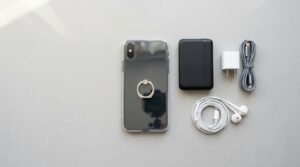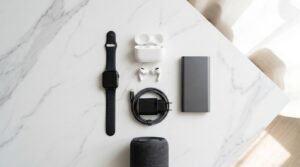



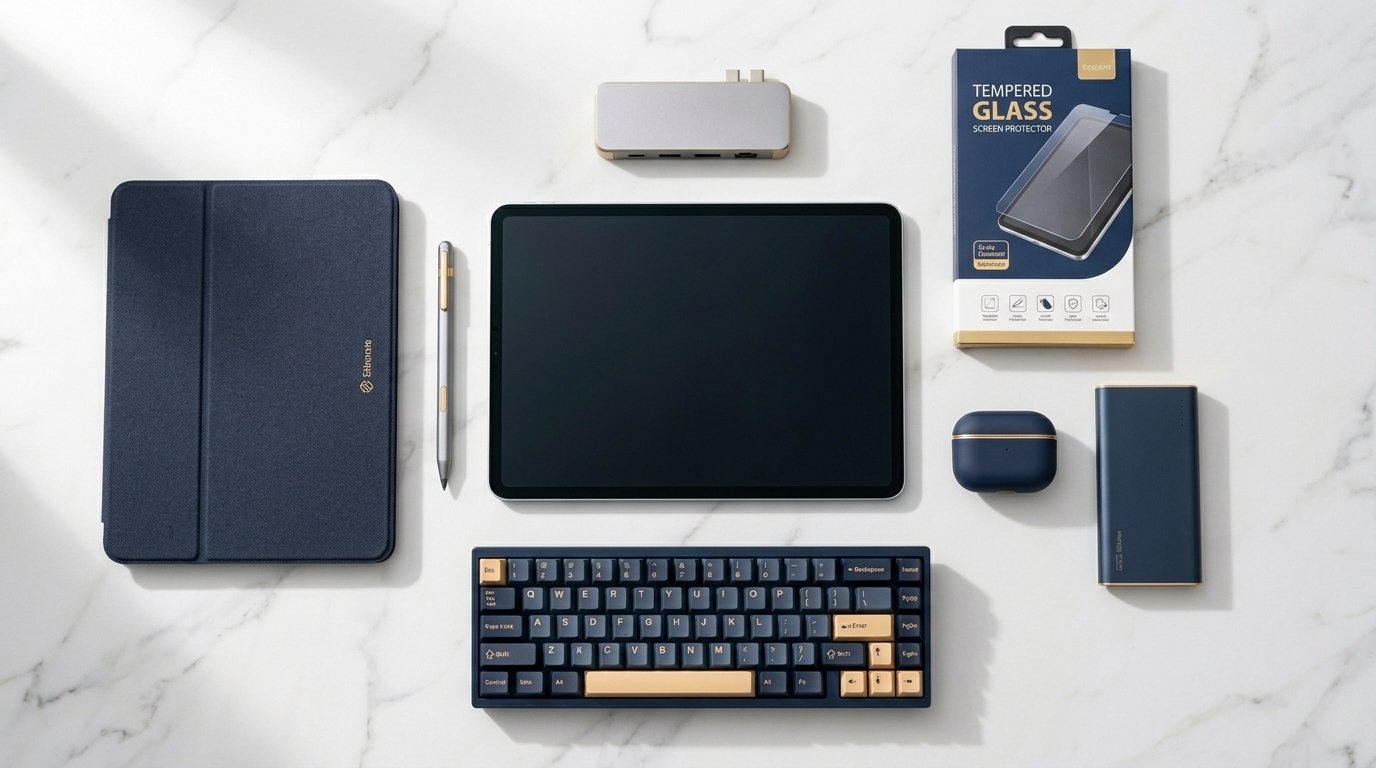
- A tablet alone is only half the investment — the right accessories unlock its full potential.
- The must-haves for most users are: a protective case, screen protector, stylus, keyboard cover, and a quality charging hub.
- Budget wisely: spending 20–30% of your tablet’s price on accessories is the industry benchmark for protecting and maximizing your device.
You just unboxed your new tablet. The screen is gorgeous, the processor is blazing fast — and now it’s sitting naked on your desk with a USB-C cable that can’t reach the couch. Sound familiar?
In my professional experience reviewing and recommending tech setups for individuals and businesses alike, the tablet purchase is only the beginning. The accessories you pair with it determine whether your device becomes a productivity powerhouse or an expensive YouTube remote.
This guide covers every accessory a new tablet owner should seriously consider — ranked by priority, compared by value, and explained without the marketing noise.
Why Tablet Accessories Are Not Optional
What we’ve observed in the market is clear: tablet return rates drop significantly when users pair their device with even one or two quality accessories within the first 30 days. The reason is simple — accessories remove friction.
A tablet without a case is a liability. A tablet without a stylus (for creative or note-taking users) is a crippled device. And a tablet without a proper charging solution becomes an anxiety loop every evening.
The following list is built around real use cases — not spec sheets.
The Essential Tablet Accessories You Should Buy First
1. Protective Case with Stand
This is non-negotiable. A quality tablet case does three jobs: absorbs drops, props up the screen at a usable angle, and adds grip so you’re not white-knuckling a glass slab.
What to look for:
- Military-grade drop protection (MIL-STD-810G rating)
- Multiple stand angles — not just one fixed position
- Pencil/stylus holder built into the case
- Slim profile so it doesn’t add unnecessary bulk
Pro tip: Avoid ultra-cheap cases under $10. They compromise on corner protection — the exact spot that absorbs 80% of real-world drops.
2. Tempered Glass Screen Protector
Your tablet’s display is its most expensive component. A $12–$25 tempered glass protector is the highest ROI accessory you’ll ever buy.
Skip plastic film protectors — they scratch within weeks and create glare. Go for 9H hardness tempered glass with an oleophobic coating to resist fingerprints.
3. Stylus / Digital Pen
Even if you don’t consider yourself a “creative,” a stylus transforms how you interact with a tablet. Note-taking, form filling, annotating PDFs, sketching — these tasks become significantly faster with a pen.
- Apple iPad users: Apple Pencil (2nd gen) or the newer Apple Pencil Pro
- Samsung Galaxy Tab users: S Pen is usually included — if not, buy it separately
- Budget option: Logitech Crayon (iPad) or USI-compatible styluses for Chromebook tablets
4. Bluetooth Keyboard Case or Detachable Keyboard
If you plan to reply to emails, write documents, or do any real work on your tablet, a physical keyboard is a game-changer. Touchscreen keyboards slow you down by 40–60% compared to a physical keyboard for most users.
Best options by use case:
- Office/productivity: Logitech Combo Touch, Apple Magic Keyboard Folio
- Travel-friendly: Foldable Bluetooth keyboards (universal, compact)
- Budget: Generic keyboard cases under $30 work fine for occasional use
5. USB-C Hub / Multi-Port Adapter
Modern tablets ship with a single USB-C port. That means one cable for charging, data transfer, external display, and accessories. A quality hub eliminates this bottleneck immediately.
Look for a hub that includes: HDMI out, USB-A ports (x2 minimum), SD card slot, and USB-C passthrough charging.
Subscribe to the Wisdom Tech Weekly newsletter — we send one curated, no-fluff tech recommendation every week, straight to your inbox.
Join Free → Wisdom Tech Weekly
Tablet Accessories Comparison Table
| Accessory | Priority Level | Budget Pick ($) | Premium Pick ($$) | Who Needs It Most |
|---|---|---|---|---|
| Protective Case | 🔴 Must-Have | ESR / Fintie ($12–20) | Otterbox Defender ($50+) | Everyone |
| Screen Protector | 🔴 Must-Have | JETech ($10–15) | Belkin TemperedGlass ($25) | Everyone |
| Stylus/Pen | 🟠 High Priority | Logitech Crayon ($60) | Apple Pencil Pro ($129) | Students, Creatives |
| Keyboard | 🟠 High Priority | Generic BT Keyboard ($25) | Logitech Combo Touch ($160) | Professionals, Writers |
| USB-C Hub | 🟡 Recommended | Anker 5-in-1 ($30) | CalDigit Soho ($80) | Power Users |
| Portable Charger | 🟡 Recommended | INIU 10000mAh ($22) | Anker 737 ($100) | Travelers, Students |
| Tablet Stand | 🟢 Nice to Have | Lamicall ($15) | Twelve South HiRise ($60) | Home Office Users |
| Bluetooth Speaker | 🟢 Nice to Have | JBL GO 3 ($40) | Bose SoundLink ($99) | Media Consumers |
Secondary Tablet Accessories Worth Considering
6. Portable Power Bank
Tablets have large batteries — but large batteries take long to charge. A 10,000–20,000mAh power bank ensures you never run out of juice during long commutes, travel, or all-day classes.
Look for 65W USB-C PD output to actually fast-charge modern tablets. Slower banks exist but won’t keep up with heavy use.
7. Laptop-Style Tablet Stand
If you use your tablet at a desk, propping it at eye level prevents neck strain. What we’ve observed in ergonomics research is that even 4–6 inches of elevation significantly reduces fatigue during long sessions.
Pair this with a Bluetooth keyboard and mouse, and your tablet effectively becomes a desktop replacement for most everyday tasks.
8. Wireless Earbuds or Headphones
Tablets are media consumption devices at heart — and the built-in speakers on 90% of devices are mediocre. A pair of wireless earbuds transforms your viewing and listening experience completely.
- Earbuds: Samsung Galaxy Buds, Apple AirPods, or Jabra Elite 4
- Over-ear: Sony WH-1000XM5 for noise cancellation, Anker Soundcore Q45 for budget
9. Cleaning Kit
This sounds boring until your screen looks like a fingerprint crime scene. A microfiber cloth + screen-safe spray is a $10 purchase that keeps your display looking new for years.
10. Cable Management & Charging Station
If you own multiple devices, a multi-device charging station keeps everything organized and charged overnight. Brands like Anker and Satechi make excellent 4–6 device stations under $60.
How Much Should You Spend on Tablet Accessories?
In my professional experience, a good rule of thumb is to budget 20–30% of your tablet’s price for accessories. So if you bought a $400 tablet, allocate $80–$120 for a solid accessories setup.
Prioritize in this order: protection first, productivity second, comfort third. Don’t spend $80 on a Bluetooth speaker while your tablet is sitting unprotected on a glass desk.
At Wisdom Educational System, our IT training students get curated gear recommendations as part of their course onboarding. Enroll in any of our IT courses and get a free Starter Tech Setup Guide — including where to buy genuine accessories in Rawalpindi at the best prices.
Explore Our IT Courses →Frequently Asked Questions
1. What is the first accessory I should buy for my new tablet?
A protective case and screen protector — always. These two accessories protect your investment from day one and cost a fraction of screen repair fees.
2. Do I really need a stylus if I’m not an artist?
Yes. Even for everyday use, a stylus speeds up navigation, makes form-filling easier, and is better for note-taking in apps like Notability or GoodNotes. You don’t need to be an artist to benefit from one.
3. Can I use any Bluetooth keyboard with my tablet?
Any universal Bluetooth keyboard will work with iOS, Android, and Windows tablets. However, keyboard cases designed specifically for your tablet model offer a much better fit, built-in stand, and sometimes a trackpad.
4. Is a USB-C hub necessary for tablets?
If you only use your tablet for streaming and casual browsing, no. If you connect it to a monitor, transfer files, or use external drives, a USB-C hub is essential.
5. What kind of screen protector is best for tablets?
Tempered glass with 9H hardness and an oleophobic coating is the best all-round choice. It resists scratches, repels fingerprints, and doesn’t distort the display like plastic film does.
6. How do I choose the right tablet case?
Look for MIL-STD-810G drop protection, an adjustable kickstand, a built-in stylus holder, and a slim profile. Avoid cases with a single fixed stand angle — they’re impractical for everyday use.
7. Are third-party styluses as good as the official ones?
For basic use, yes. But for palm rejection, pressure sensitivity, and tilt recognition, official styluses like Apple Pencil or Samsung S Pen are noticeably better. Budget styluses work fine for signing documents and casual note-taking.
8. What power bank wattage do I need to charge a tablet fast?
Look for at least 45W–65W USB-C Power Delivery output. Anything lower will charge your tablet slowly or not at all during active use. Most modern tablets support 20–45W fast charging natively.
9. Should I buy all these accessories at once or one by one?
Start with the essentials: case, screen protector, and if applicable — a stylus. Then add a keyboard or hub based on how you’re actually using the device after the first week. Buying everything at once often means buying things you’ll never use.
10. Are tablet accessories sold in Pakistan at global prices?
Prices in Pakistan vary widely. Original accessories (Apple, Samsung, Logitech) are typically 20–40% more expensive than global retail due to import costs. Third-party alternatives available locally on Daraz or in Hafeez Centre, Lahore / Raja Market, Rawalpindi, offer solid value at local pricing.