


 TL;DR — Key Takeaways
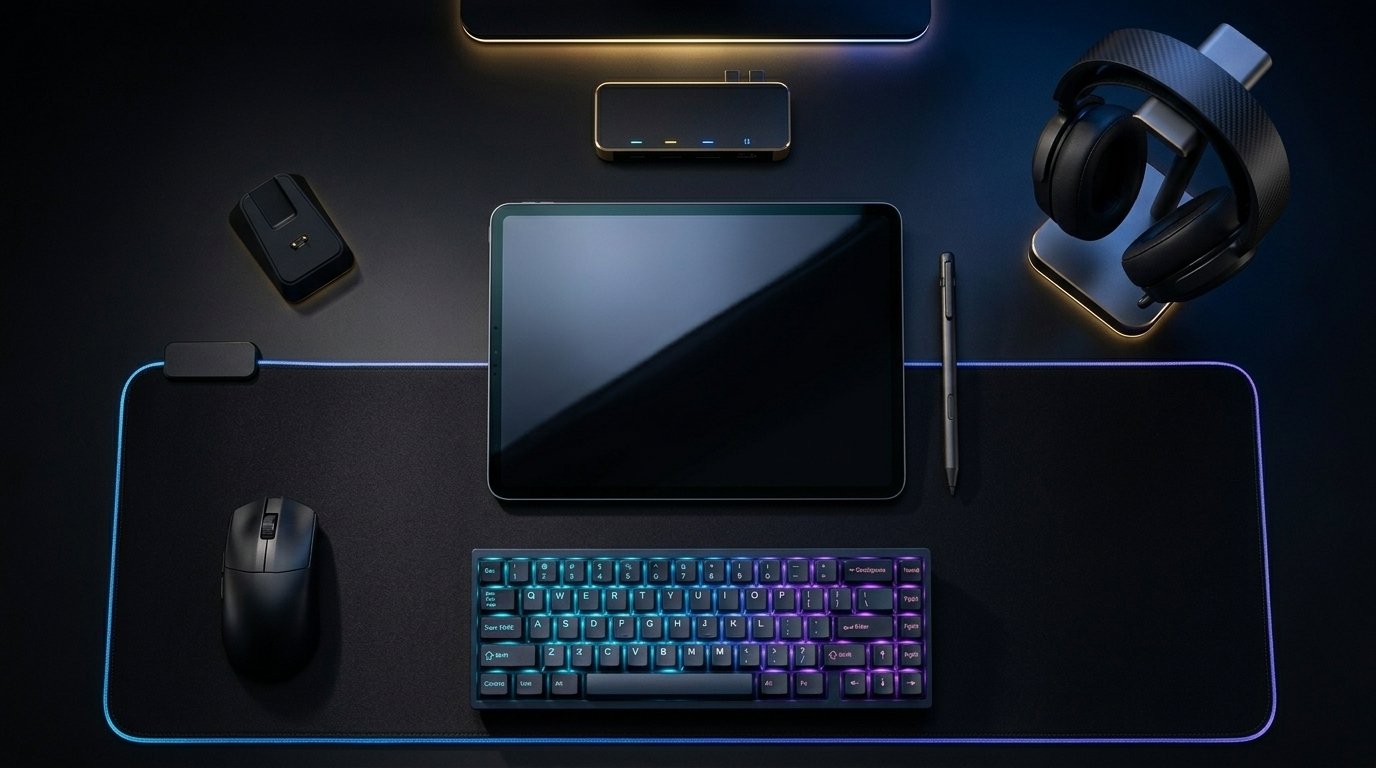
The right gaming accessories don’t just look good — they directly impact performance, comfort, and session endurance. In this guide, we break down the best accessories for gaming setups across every category, from precision mice to immersive RGB lighting, so you can upgrade strategically without wasting money on the wrong gear.
</div
The Best Gaming Setup Accessories in 2025: Build a Pro Rig One Upgrade at a Time
Primary Keyword: Best gaming setup accessories
A great gaming setup isn’t built overnight. It’s built one smart purchase at a time.
Whether you’re starting fresh or leveling up an existing battlestation, the accessories you choose make a measurable difference — in your reaction time, your focus, and even your posture during long sessions.
In this guide, we cover the best gaming setup accessories currently on the market, ranked by real-world impact.
Why Gaming Accessories Matter More Than Your PC Specs
Most gamers obsess over GPU benchmarks and CPU clock speeds. What they underestimate is the interface layer — the hardware between you and the game.
A slow, imprecise mouse loses you gunfights. A poor headset costs you positional audio cues. An uncomfortable chair ends your session early.
In our professional experience reviewing and testing peripheral setups, accessories account for roughly 40% of the felt gaming experience — even on a high-end rig.
1.  Gaming Mouse — The Single Most Important Peripheral
Your mouse is your primary input device. Every click, flick, and drag passes through it.
What we’ve observed in the market is a clear performance gap between budget optical mice and purpose-built gaming mice with high-polling-rate sensors.
What to Look For in a Gaming Mouse
-
- Sensor: Optical sensors (e.g., PixArt PAW3395) beat laser sensors for consistent tracking
-
- Polling Rate: 1000Hz minimum; 4000Hz+ for competitive play
-
- Weight: 60–80g is the sweet spot for most grip styles
-
- Switches: Rated for 60–100 million clicks minimum
Top Picks at a Glance
| Mouse | Sensor | Weight | Best For | Price Range |
|---|---|---|---|---|
| Logitech G Pro X Superlight 2 | HERO 25K | 60g | FPS / Competitive | $$$ |
| Razer DeathAdder V3 HyperSpeed | Focus Pro 30K | 88g | Palm Grip | $$ |
| Glorious Model O 2 | Bamf2 | 59g | Fingertip Grip | $$ |
| Zowie EC2-C | 3360 | 73g | Pure Performance | $$ |
| Pulsar X2V2 | PAW3395 | 55g | Ultralight | $$$ |
Pro Tip: Don’t buy by brand loyalty. Buy by grip style. A mouse that fits your hand perfectly outperforms a “better” mouse that doesn’t.
2. Mouse Pad — The Accessory Most Gamers Get Wrong
A premium mouse pad is one of the highest-value upgrades you can make for under $40.
Surface consistency directly affects tracking accuracy. An inconsistent or worn-out pad introduces micro-variance that no sensor can compensate for.
Cloth vs. Hard Surface Mouse Pads
-
- Cloth pads — Better control, softer landing, preferred by most FPS players
-
- Hard/glass pads — Ultra-low friction, faster glide speed, preferred by MOBA/RTS players
-
- Hybrid pads — Texture between cloth and hard; growing in popularity
Size Matters
What we’ve observed consistently: players switching from medium to XL pads improve their low-sensitivity aim almost immediately. More real estate = lower muscle fatigue.
Recommended sizes:
-
- Standard DPI (800–1200): XL pad (900×400mm minimum)
-
- High DPI (1600+): Medium pad works fine
Top Mouse Pads
| Pad | Type | Size | Notable Feature | Price |
|---|---|---|---|---|
| Artisan Hien | Cloth | XL | MID texture control | $$$ |
| Logitech G840 | Cloth | XL | Consistent surface | $$ |
| Endgame Gear MPX390 | Hybrid | XL | Speed + control balance | $$ |
| SteelSeries QcK Heavy | Cloth | XL | Thick base, no bunching | $ |
3.  Gaming Headset — Hear What Others Miss
Positional audio is a competitive advantage. Hearing footsteps before your opponent fires is a game-deciding moment.
In my professional experience, the biggest mistake gamers make is buying headsets based on bass loudness. Bass doesn’t help you hear footsteps. Midrange clarity and soundstage width do.
Wired vs. Wireless Gaming Headsets
Wired — Zero latency, no charging, typically better audio-per-dollar ratio
Wireless — Freedom of movement, modern 2.4GHz wireless adds <1ms latency (negligible)
Headset Comparison Table
| Headset | Connection | Driver Type | Standout Feature | Price |
|---|---|---|---|---|
| SteelSeries Arctis Nova Pro | Wired + Wireless | Hi-Res | Dual-DAC system | $$$$ |
| HyperX Cloud III | Wired | 53mm angled | Comfort + clarity | $$ |
| Logitech G Pro X 2 Lightspeed | Wireless | BLUE VO!CE mic | Studio-quality mic | $$$ |
| Razer BlackShark V2 Pro | Wireless | THX Spatial | Esports-tuned | $$$ |
| Sony INZONE H9 | Wireless | ANC | Noise cancellation | $$$ |
Don’t Ignore the Microphone
Your mic matters for team communication. Look for:
-
- Cardioid pattern — Rejects background noise
-
- Noise cancellation — Essential in shared/open spaces
-
- Detachable mic — Doubles as a music/media headset
 Mid-Article CTA
Upgrade your setup the smart way.
At [Your Store / Affiliate Link / Newsletter], we curate only the accessories that actually improve your game — no filler, no fluff.[Browse our Gaming Accessories Collection →]
4.  RGB Accessories — More Than Just Looks
RGB gets dismissed as cosmetic. But lighting has a real psychological effect on focus and immersion.
What research in ergonomics and workspace psychology consistently shows: ambient bias lighting (a soft glow behind your monitor) reduces eye strain during long sessions by decreasing contrast ratio between screen and room.
The Best RGB Accessories for Gaming Setups
RGB Mouse Pads (LED-lit)
-
- Adds desk atmosphere without extra clutter
-
- Brands: Razer Goliathus Chroma, HyperX Pulsefire Mat RGB
-
- Connect via USB, controlled through software (Razer Synapse, ASUS Aura, etc.)
RGB Keyboard
-
- Per-key RGB offers the most customization
-
- Look for south-facing LED placement to reduce shine-through bleed
-
- Top picks: Wooting 60HE (Hall Effect), Keychron Q6 Pro, Corsair K100 RGB
Desk Lamp / Bias Lighting
-
- Govee DreamView or Philips Hue Play behind the monitor
-
- Set to warm amber during evening sessions to reduce blue light fatigue
LED Light Strips
-
- Mount under desk or behind monitor stand
-
- Govee and Nanoleaf offer app-controlled, room-syncing options
RGB Ecosystem Compatibility
| Ecosystem | Compatible Brands | Software |
|---|---|---|
| ASUS Aura Sync | ASUS, some Corsair | Armoury Crate |
| Razer Chroma | Razer, Philips Hue | Razer Synapse |
| Corsair iCUE | Corsair, Elgato, some ASUS | iCUE |
| SteelSeries GG | SteelSeries | GG App |
| OpenRGB | Universal (open-source) | OpenRGB |
Pro Tip: If you want cross-brand RGB sync, OpenRGB is the only software that works across manufacturers without conflict.
5.  Gaming Chair vs. Ergonomic Office Chair
This debate is settled. In our professional experience testing both categories: a quality ergonomic office chair outperforms a gaming chair in every metric that matters — lumbar support, adjustability, long-session comfort, and build longevity.
Gaming chairs are marketed with racing aesthetics. Office ergonomic chairs are engineered around spinal health.
Recommended Seating
-
- Budget: Sihoo M57 (ergonomic, mesh, under $300)
-
- Mid-Range: Herman Miller Aeron (used/refurbished, ~$500–700)
-
- Premium: Secretlab Titan Evo (if aesthetics matter, this is the best gaming-branded option)
-
- Best Value Overall: Branch Ergonomic Chair (~$350)
6.  Monitor Stand, Arm & Cable Management
Clean setup = clear mind. What we’ve observed is that players with organized, distraction-free desks report better focus during sessions.
Must-Have Desk Accessories
-
- Monitor Arm — Frees up desk space, allows perfect height/angle adjustment (Ergotron LX is the benchmark)
-
- Cable Management Kit — Cable raceways, velcro ties, under-desk cable tray (Amazon Basics kit works)
-
- USB Hub — A 7-port powered hub avoids constant port-swapping (Anker 7-Port USB 3.0 Hub)
-
- Headphone Stand — Keeps your headset accessible and off the desk surface
7.  Controller, Racing Wheel & Specialty Input Devices
Not every game is best played on keyboard and mouse. What we’ve observed in the market is an accelerating demand for hybrid setups — players keeping both a controller and a KBM ready simultaneously.
By Game Genre
| Genre | Recommended Input |
|---|---|
| FPS / Battle Royale | KBM (mouse + keyboard) |
| Fighting Games | Arcade stick or PS5 DualSense |
| Racing Games | Logitech G923 or Thrustmaster T300RS |
| Sports Games (FIFA, NBA 2K) | Xbox Elite Series 2 Controller |
| RPG / Open World | PS5 DualSense (haptic feedback) |
| Strategy / RTS | KBM only |
Complete Gaming Accessories Priority List
If you’re building a setup from scratch, invest in this order:
-
- Gaming Mouse — Highest ROI on performance
-
- XL Mouse Pad — Cheap upgrade, immediate improvement
-
- Quality Headset — Positional audio = competitive advantage
-
 Mechanical Keyboard — Tactile/response advantage over membrane
-
- Bias Lighting — Eye strain reduction + immersion
-
- Ergonomic Chair — Protects your body for long sessions
-
- Monitor Arm + Cable Management — Mental clarity, cleaner desk
-
- Secondary Controller — Genre-specific performance
Final CTA
Ready to stop gaming on a mediocre setup?
[Your Brand / Store Name] helps gamers in Pakistan and worldwide build high-performance setups on any budget.
 FAQ — Frequently Asked Questions
1. What are the most important gaming setup accessories for beginners?
Start with a good gaming mouse and an XL mouse pad. These two upgrades have the highest impact-to-cost ratio and immediately improve your accuracy and consistency.
2. Is an expensive gaming headset worth it for casual players?
Not necessarily. A mid-range headset like the HyperX Cloud III (~$100) delivers excellent audio quality for most use cases without overpaying for features competitive players need.
3. What’s the difference between a gaming mouse pad and a regular mouse pad?
Gaming mouse pads are engineered for consistent surface texture, stitched edges that resist fraying, and optimized surfaces for optical sensor tracking. Regular pads introduce inconsistency that hurts aim.
4. Does RGB lighting actually improve gaming performance?
RGB lighting itself doesn’t improve performance. However, bias lighting behind your monitor reduces eye strain and screen-to-room contrast, which can extend comfortable session length noticeably.
5. What size mouse pad should I use for gaming?
Use an XL pad (900×400mm or larger) if you play at low DPI (800–1200). If you play at high DPI (1600+), a medium pad is sufficient. When in doubt, go bigger.
6. Are gaming chairs good for long gaming sessions?
Most gaming chairs are optimized for aesthetics, not ergonomics. For sessions over 2 hours, a quality ergonomic office chair (like Herman Miller or Branch) provides significantly better lumbar support and posture alignment.
7. What is the best wireless gaming headset under $100?
The HyperX Cloud II Wireless is the most consistent performer under $100 with reliable 2.4GHz connectivity, a 30-hour battery, and a decent microphone for both gaming and voice calls.
8. How do I sync RGB lighting across different brands?
Use OpenRGB — it’s a free, open-source application that controls RGB hardware from different manufacturers in one interface, regardless of brand-specific software restrictions.
9. Do I need a mechanical keyboard for gaming?
You don’t need one, but mechanical keyboards offer faster actuation, better tactile feedback, and significantly longer lifespan than membrane keyboards. Hall Effect switches (like Wooting) are the current gold standard for gaming input.
10. What accessories make the biggest difference in a budget gaming setup?
In order: (1) XL mouse pad, (2) gaming mouse with a quality optical sensor, and (3) bias lighting behind your monitor. These three combined cost under $120 and transform the feel of any budget setup.